8K resolution images offer incredible detail and clarity, making them perfect for large displays, professional printing, and high-end visual projects. While capturing native 8K content requires specialized equipment, our AI image upscaling tools make it possible to create 8K images from existing photos. Learn more about our 3 AI tools to find the best option for your needs.
Table of Contents
1 Understanding Resolution Scales
Before we dive into the process, let's clarify the resolution standards we'll be working with:
As you can see, 8K is exactly twice the width and height of 4K, making it the perfect target for upscaling from 4K content.
2 Method 1: Upscaling 4K Images to 8K
If you already have a 4K image, you can directly upscale it to 8K using our main AI Image Upscaler tool. For even higher quality, consider using our 2K/4K Upscaler for the initial upscale.
Step 1: Visit the Main AI Image Upscaler
Go to our homepage to access the main AI Image Upscaler tool.
Step 2: Upload Your 4K Image
Click the "Choose file" button or drag and drop your 4K image into the upload area.
Step 3: Select the 2x Upscale Option
Choose "Photo Light (2x Upscale)" to double the resolution of your 4K image to 8K.
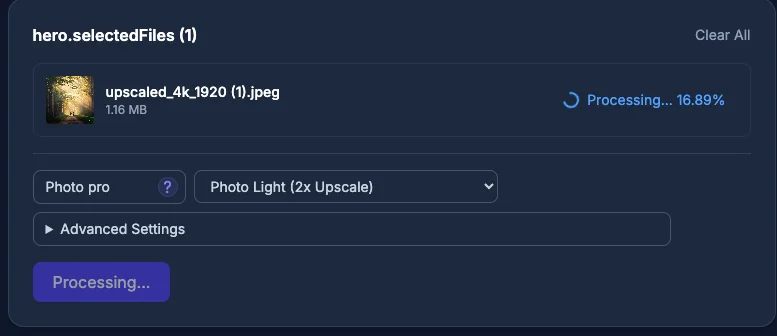
AI Image Upscaler processing a 4K image to 8K using 2x upscale
Step 4: Start Processing & Download
Click "Start" to begin upscaling. Once complete, download your 8K image.
3 Method 2: Upscaling Low-Resolution Images to 8K
If your image is below 4K resolution, you'll need to use a two-step process to achieve 8K quality. Check out our free upscaling guide for more details on the first step.
Upscale from 4K to 8K
Use the main AI Image Upscaler with the 2x upscale option to reach 8K.
4 Tips for Best Results
Start with the highest quality source
The better the original image, the better the 8K result will be.
Choose the right model
Use "Photo pro" for real-life photos and "Anime" for illustrations.
Consider file size
8K images can be quite large (often 10MB+), ensure you have enough storage.
Example Results
Here's a comparison of the original 4K image and the upscaled 8K result:
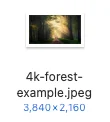
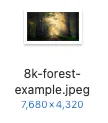
Conclusion
Creating 8K images is now more accessible than ever with our AI image upscaling tools. Whether you're starting from a 4K image or a lower resolution photo, our process makes it easy to achieve stunning 8K results. For photos with quality issues, try our Photo Enhancement tool first.
Start Creating 8K Images