Free AI Image Upscaler — 2K & 4K Online
A free AI image upscaler & enhancer that enlarges your photos to real 2K (2560×1440) and 4K (3840×2160) resolution — without losing quality, without watermarks, without needing to sign up.
100% private AI super resolution processing in your browser. No image uploads to any server, no storage, no privacy risks. Increase image resolution online in seconds — supports JPG, PNG, and WebP formats. 3 free daily uses.
Drag & drop your Image
or click to browse
Supports: JPG, PNG, WebP
Real 2K & 4K AI Image Upscaler
We focus on practical, usable quality. Upscale your image to true 2K (2560×1440) or 4K (3840×2160) using advanced AI super resolution. Sharp, crisp, natural details — no blur, no pixelation. For 8K, combine our tools in a step-by-step workflow — learn how →
Free AI Image Enlarger — No Watermark
A completely free image upscaler with no watermark, no hidden costs, no forced subscriptions. Enjoy 3 free AI processes every day. Enlarge your images online without losing quality — drag and drop, one click to download.
100% Private — No Upload Required
Your photos never leave your device. All AI upscaling runs locally in your browser using WebGPU/WASM technology — making it a private image upscaler browser that works entirely offline. A secure AI upscaler with no upload and no cloud server — truly private, truly safe. This is the most secure image upscaler no cloud solution around, with in-browser AI image processing that never stores or collects your data.
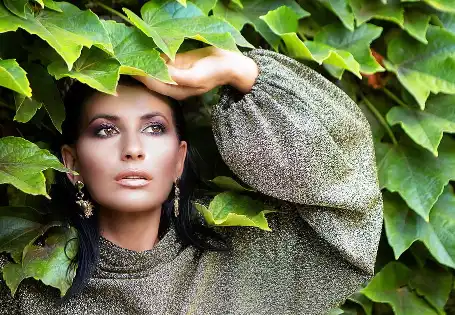
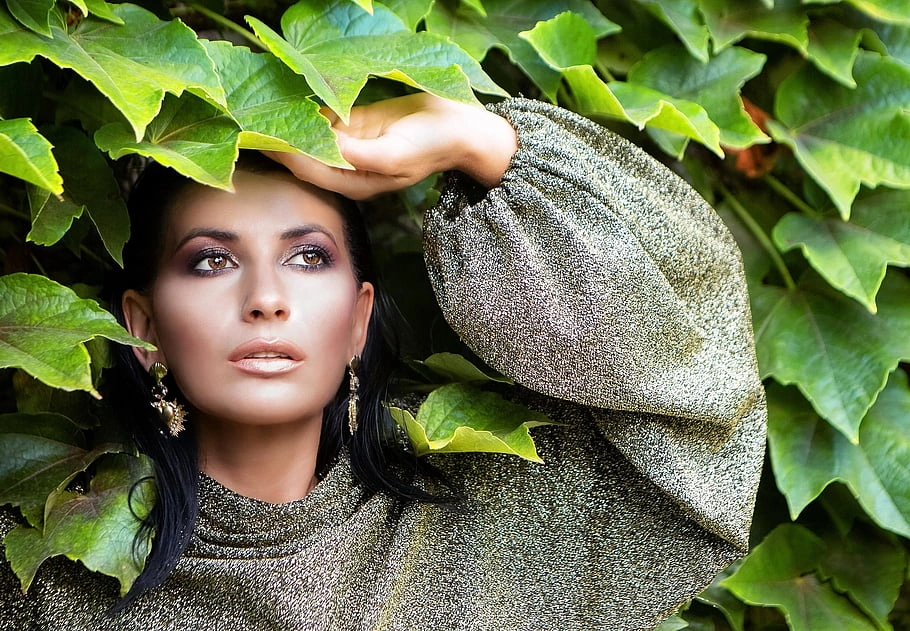
From Blurry to Crystal Clear 4K
Drag the slider to see how our AI transforms low-resolution images into stunning 4K quality. Our advanced neural networks intelligently reconstruct lost details, remove noise, and sharpen edges — giving you professional-grade results in seconds.
Use Cases — What Can You Upscale with AI?
From wallpapers and social media banners to product photos and AI-generated art — our AI image upscaler & enhancer handles it all
Desktop & Phone Wallpapers
Transform any image into stunning 2K (2560×1440) or 4K (3840×2160) wallpapers. Whether you want to upscale wallpaper to 2K for your desktop monitor or create crisp 4K backgrounds for your phone, our AI ensures every pixel is sharp and clear. Perfect for landscape photos, abstract art, or any image you want as your daily backdrop.
Social Media & YouTube
Create eye-catching 4K banners and thumbnails that stand out. Upscale image for Instagram, YouTube thumbnails, Facebook covers, LinkedIn profiles, Twitter/X headers, and TikTok video covers. High-resolution visuals get more engagement — our AI helps you increase social media image resolution so your content looks professional on every platform.
Professional Printing
Get print-ready 4K images at 300 DPI for professional results. Upscale image for printing posters, flyers, brochures, canvas prints, and business cards. A 4K (3840×2160) image prints beautifully at 300 DPI up to 12.8×7.2 inches — ideal for marketing materials that need to impress. Our AI photo enhancer ensures crisp details even when viewed up close.
Old Photo Restoration
Breathe new life into precious memories. Restore old photos AI technology can fix blurry, pixelated, or faded family photos and upscale vintage photos to 4K resolution. Our AI super resolution engine reduces noise, sharpens edges, and reconstructs facial details — perfect for preserving historical family pictures with lifelike quality. Give your grandparents' photos the clarity they deserve.
Midjourney & AI Art
AI-generated images often come in lower resolutions. Upscale Midjourney images to 4K, enhance DALL-E outputs, and sharpen Stable Diffusion artwork for print-ready quality. Our AI image enlarger intelligently adds realistic details to AI art without losing the original style — perfect for creating high-resolution portfolios, art prints, or professional presentations of your AI creations.
Amazon & E-commerce
Boost your sales with crystal-clear product images. Upscale product photo for Amazon, Shopify, Etsy, and eBay listings to 4K resolution. High-quality product photos with zoom-friendly details increase customer trust and conversion rates. Our AI photo enhancer helps you increase product photo resolution without expensive photography equipment — perfect for small business owners and online sellers.
Anime & Game Screenshots
Perfect for anime fans and gamers who want stunning wallpapers. Upscale anime images AI technology enhances anime frames, manga pages, and game screenshots to 2K/4K quality. Whether you're capturing your favorite anime moment or a breathtaking game scene, our AI super resolution preserves artistic details while adding crispness — ideal for upscale game screenshot to 4K wallpaper collections.
Logos & Brand Assets
Enlarge your brand assets without losing quality. Upscale logo to high resolution for print materials, presentations, and large-format displays. Our AI image enlarger preserves edges and prevents pixelation when you enlarge logo without losing quality — perfect for businesses that need their logo crisp on everything from business cards to billboards. Also ideal for icons, badges, and brand graphics.
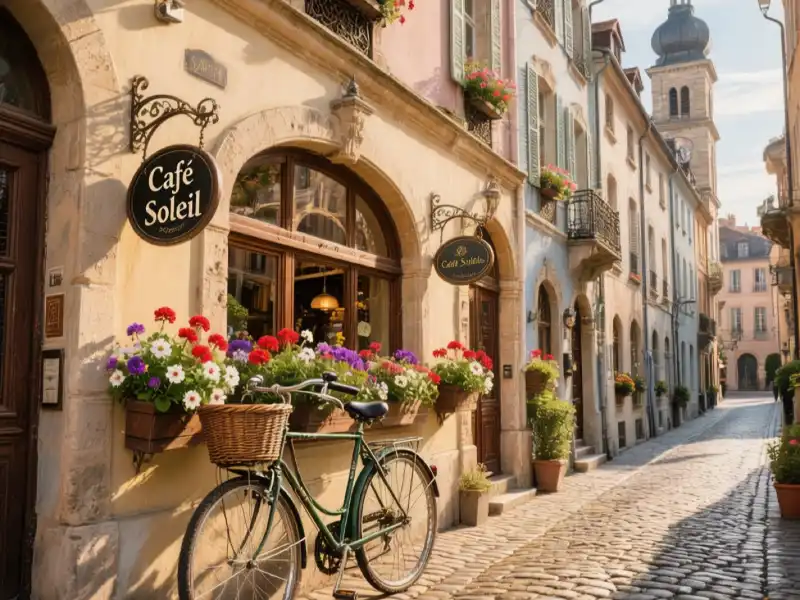
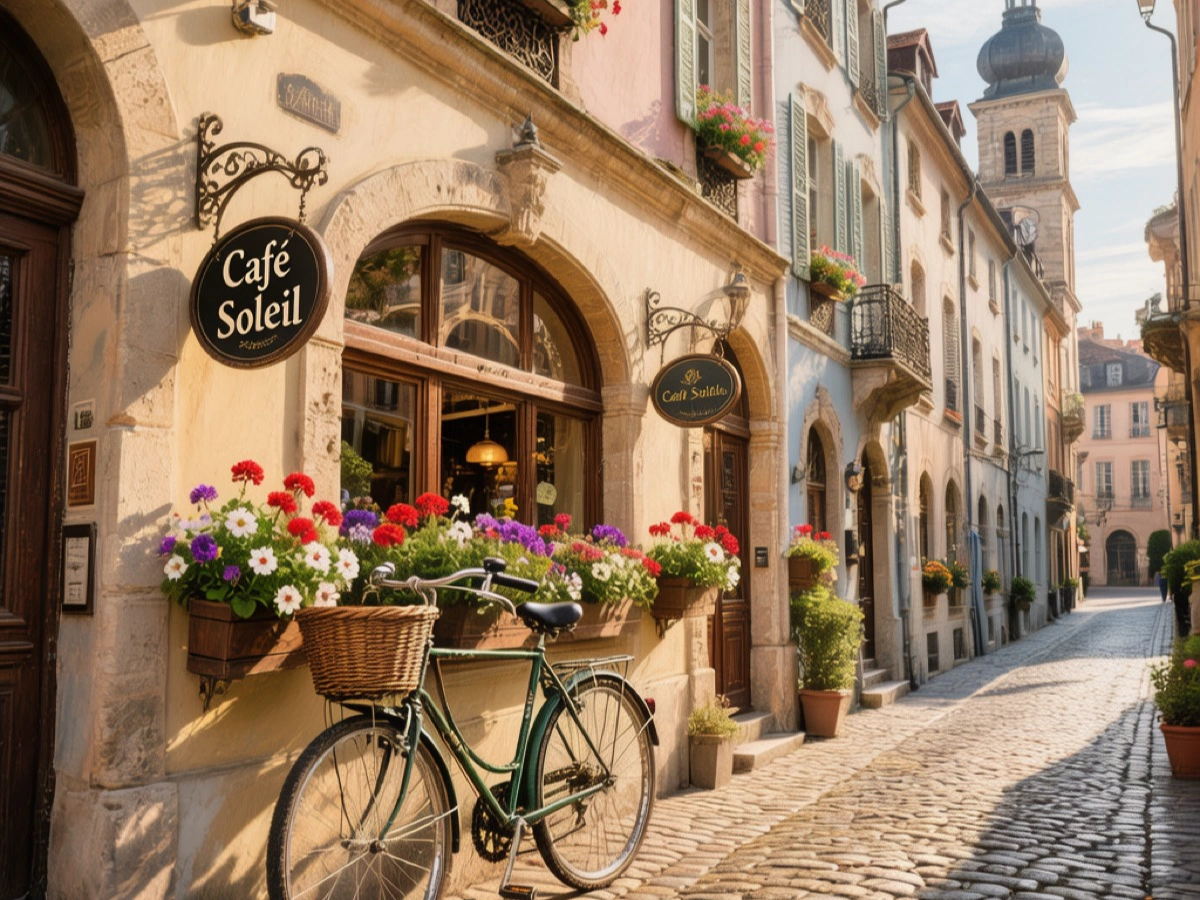
Works with Any Image Type
Whether you're a content creator, e-commerce seller, designer, or just want better photos — our AI adapts to your needs. Drag the slider to see the transformation in action.
"We focus on 2K and 4K because they're the fastest one-click sweet spot — the resolutions most screens and printers actually display. That said, our tools can reach 8K and even 16K through sequential upscaling. It just takes a few more clicks and a bit more time. We built this AI image upscaler to be practical first, not to chase marketing buzzwords."
— The ImgUpscaleAI Team. No VC funding, no bloated promises. Just a free, private AI image upscaler that actually works.
Read: How to Create 8K Images with AI Upscaler ToolsFree Plan — 3 Daily AI Upscales, No Strings Attached
3 Free AI Image Upscaling Processes Per Day
Enjoy up to 3 free AI image upscaling processes every day — real 2K (2560×1440) or 4K (3840×2160) output, no watermark, no sign-up. Perfect for casual use.
Unlock Unlimited 2K/4K Upscaling with Paid Plans
Upgrade to a paid plan for unlimited 2K/4K upscaling, full access to all our AI image enhancement tools, batch processing, and exclusive premium features.
How to Upscale Images to 2K/4K — 3 Simple Steps
Increase your image resolution online in seconds — no software download, no sign-up needed
Upload Your Image
Drag & drop or click to select your image. Supports JPG, PNG, and WebP formats. Your image stays in your browser — no upload to any server.
Choose 2K or 4K Resolution
Select 2K (2560×1440) or 4K (3840×2160) output. Our AI super resolution model intelligently enhances detail and sharpness — no blur, no artifacts.
Download Instantly — No Watermark
Get your high-resolution image in seconds. Download as JPG, PNG, or WebP — watermark-free, ready for any use. Fast, crisp, natural results every time.
4K Image Converter & 2K to 4K Converter — Built Into One Tool
Smart resolution conversion powered by AI super resolution — not just pixel stretching
Start with Any Resolution
Upload 480p, 720p, or 1080p images
AI Upscales to 2K
Smart detail reconstruction
Final 4K Output
Crisp, print-ready quality
Looking for a 4K image converter or 2K to 4K converter? Our AI upscaler doubles as a complete HD photo converter — unlike traditional converters that simply stretch pixels, our AI super resolution engine intelligently reconstructs missing details. Whether you need an image to 4K converter to upgrade your photos, a low resolution to HD converter for old pictures, or a photo resolution converter online for quick fixes — this tool handles it all. Use it as a SD to HD converter online to convert low res photo to high res in seconds.
SD to HD Converter
480p / 720p → 1080p / 2K
2K to 4K Converter
1440p → 2160p (3840×2160)
HD Photo Converter
Low-res → Full HD / 4K
Why Our Free AI Image Upscaler Is Different
See how ImgUpscaleAI compares to other online image upscalers
| Feature |
ImgUpscaleAI
| Other Tools |
|---|---|---|
|
Real 2K/4K Output
| True 2560×1440 / 3840×2160 | Often upscaled from lower res |
|
Watermark
| None, completely free | Many add watermarks on free tier |
|
Privacy
| 100% In-browser, no upload | Most upload to cloud servers |
|
Sign-up Required
| No sign-up needed | Most require registration |
|
AI Model
| Real-ESRGAN & Real-CUGAN | Often undisclosed or generic |
|
8K Capability
| 2K/4K in one click; 8K/16K via workflow | Often advertise 8K but deliver poor quality |
Frequently Asked Questions About AI Image Upscaling
Everything you need to know about upscaling images with AI — from resolution to privacy
Q: How do I upscale an image to 2K for free?
Simply upload your image to our AI 2K upscaler, select 2K mode, and our AI will upscale it to real 2560×1440 resolution in seconds — no watermark, no sign-up required.
Q: How to upscale an image to 4K without losing quality?
Our free AI 4K upscaler uses advanced super resolution AI to enlarge your photo to 3840×2160 while intelligently reconstructing missing details — so you get crisp, sharp results without blur or pixelation. 3 free daily uses, no sign-up needed.
Q: How to increase image resolution online without downloading software?
Use our 100% web-based AI image resolution increaser. No software download needed — simply open your browser, drag & drop your image, choose 2K or 4K, and download your high-resolution result instantly. Works on Chrome, Firefox, Safari, and Edge.
Q: How to convert a low-resolution image to high resolution?
Upload your low-res photo to our HD photo converter. Unlike simple pixel stretching, our AI super resolution technology analyzes your image content and intelligently fills in lost details — effectively converting SD images to HD, 2K, or 4K in one click.
Q: Is my image private when using your AI upscaler?
Absolutely. Our image upscaler runs entirely in your browser using WebGPU/WASM technology. Your images never leave your device — no upload to any cloud server, no storage, no data collection. It's the safest AI image upscaler for sensitive photos like personal portraits, family pictures, or confidential designs.
Q: Do I need to sign up or create an account to use it?
No, you don't. You can start upscaling images to 2K and 4K immediately — no registration, no email, no credit card required. It's a truly free AI image upscaler with zero barriers. Upgrade to a paid plan only if you need unlimited daily uses.
Q: Are the upscaled images stored or visible to others?
No. Since processing happens entirely in your browser, no image data is ever transmitted to or stored on our servers. Your images remain completely private and accessible only to you.
Q: How many images can I upscale for free?
Our free plan gives you 3 AI upscaling processes every day. Each process can upscale your image to real 2K (2560×1440) or 4K (3840×2160) — no watermarks, full resolution. For unlimited daily upscaling, check our pricing plans.
Q: What image formats are supported?
We support JPG, JPEG, PNG, and WebP image formats. Simply drag and drop your file, and our AI image enlarger handles the rest. More formats are coming soon.
Q: Can I use upscaled images for commercial purposes?
Yes! Images you upscale using ImgUpscaleAI are yours — use them commercially for product listings, marketing materials, print, or any project. No attribution required.
Q: How does AI image upscaling work?
AI image upscaling uses deep learning neural networks trained on millions of high-resolution images. Unlike traditional resizing (which just stretches pixels and creates blur), our AI super resolution model — powered by Real-ESRGAN and Real-CUGAN — analyzes your image's content (faces, textures, edges) and intelligently predicts and reconstructs missing details, resulting in crisp, natural-looking 2K and 4K images.
Q: Is AI upscaling the same as image resizing?
No, they're very different. Traditional resizing simply stretches existing pixels, leading to blur and pixelation. AI upscaling (super resolution) uses machine learning to analyze your image and intelligently add new, realistic details — turning a low-res image into a sharp, high-resolution result that looks naturally detailed rather than artificially enlarged.
Q: What's the difference between 2K and 4K resolution?
2K resolution is 2560×1440 pixels (also called 1440p or QHD), commonly used for desktop monitors, phone wallpapers, and everyday content. 4K resolution is 3840×2160 pixels (also called 2160p or UHD), the standard for large displays, professional printing (300 DPI at 12×8 inches), and high-quality content creation. Choose 2K for everyday use and 4K when you need maximum clarity or print-ready quality.
Q: Can I upscale photos for printing at 300 DPI?
Yes. By upscaling your image to 4K (3840×2160), you can print at 300 DPI up to approximately 12.8×7.2 inches — ideal for flyers, brochures, posters, and photo prints. Our AI image upscaler ensures print-ready quality with crisp, sharp details.
Q: Can AI upscale old blurry or pixelated family photos?
Definitely. Our AI photo enhancer is excellent at restoring old, blurry, or pixelated photos. The AI super resolution engine can reduce noise, sharpen edges, and reconstruct facial details — breathing new life into vintage family photos at 2K or 4K resolution, preserving your precious memories with lifelike quality.
Q: How to upscale Midjourney or DALL-E images to 4K?
AI-generated images from Midjourney, DALL-E, and Stable Diffusion often come in lower resolutions. Simply upload your AI artwork to our upscaler, select 4K mode, and we'll enhance it to 3840×2160 — perfect for printing, high-res portfolios, and social media sharing without the typical pixelation of generated art.
Q: Do you offer 8K or 16K upscaling?
For fast one-click results, our free AI upscaler outputs 2K (2560×1440) and 4K (3840×2160) — the resolution sweet spot most screens and printers actually use. However, you can achieve 8K and even 16K by combining our tools in a step-by-step upscaling workflow — upscale to 4K first, then pass through again at 2× for 8K (7680×4320), and once more for 16K. It takes a few extra clicks and more processing time, but it works. Read our step-by-step 8K guide →
Q: Is there a free AI image upscaler with no watermark?
Yes, ImgUpscaleAI is exactly that! A completely free AI image upscaler that exports images to 2K and 4K without any watermarks, no hidden fees, and no forced upgrades — with 3 free daily uses to get started immediately. Among all free AI image upscalers, we're one of the very few that truly keep it free and clean.
Q: What is the best free AI image upscaler?
ImgUpscaleAI is widely considered one of the best free AI image upscalers available. It delivers real 2K (2560×1440) and 4K (3840×2160) output with no watermark, no sign-up, and 100% private in-browser processing — powered by Real-ESRGAN and Real-CUGAN AI models. Unlike others that degrade quality or add watermarks on free plans, we give you true high-resolution exports for free, every day. Try the best free AI image upscaler without sign-up and see the difference.
Q: Can you upscale a blurry photo to make it clear?
Yes. Our AI photo enhancer is designed specifically to fix blurry photos. Upload your blurry image, choose 2K or 4K mode, and our AI super resolution will intelligently sharpen edges, reduce noise, and reconstruct lost details — turning blurry, pixelated photos into clear, crisp high-resolution images. It's the easiest way to upscale a blurry photo to make it clear without expensive software.
Ready to Upscale Your Images to 2K/4K for Free?
Start upscaling your images to genuine 2K/4K resolution today with our free AI image upscaler. No watermarks, no sign-up, completely private — in-browser processing. 3 free daily uses.
Start Upscaling Now